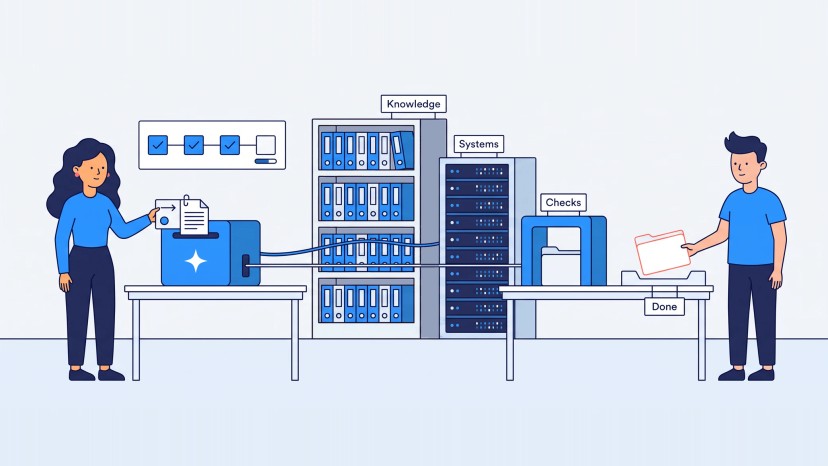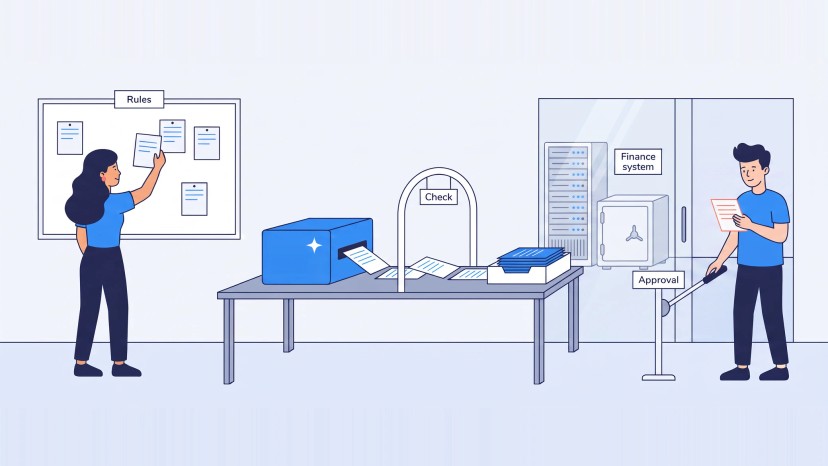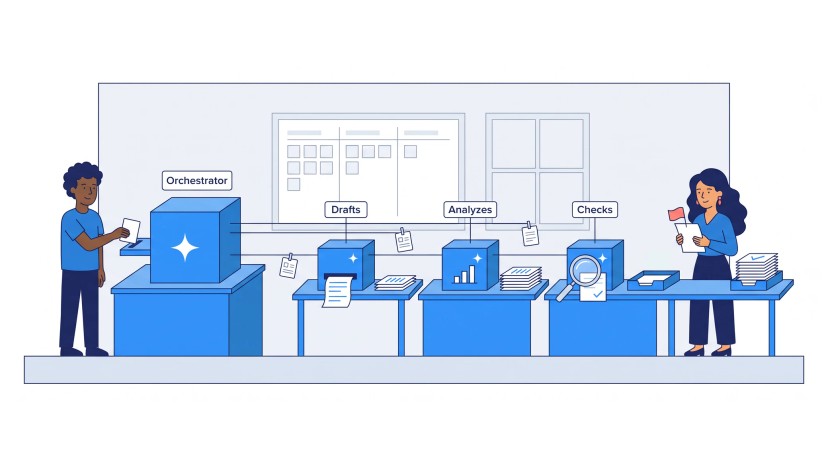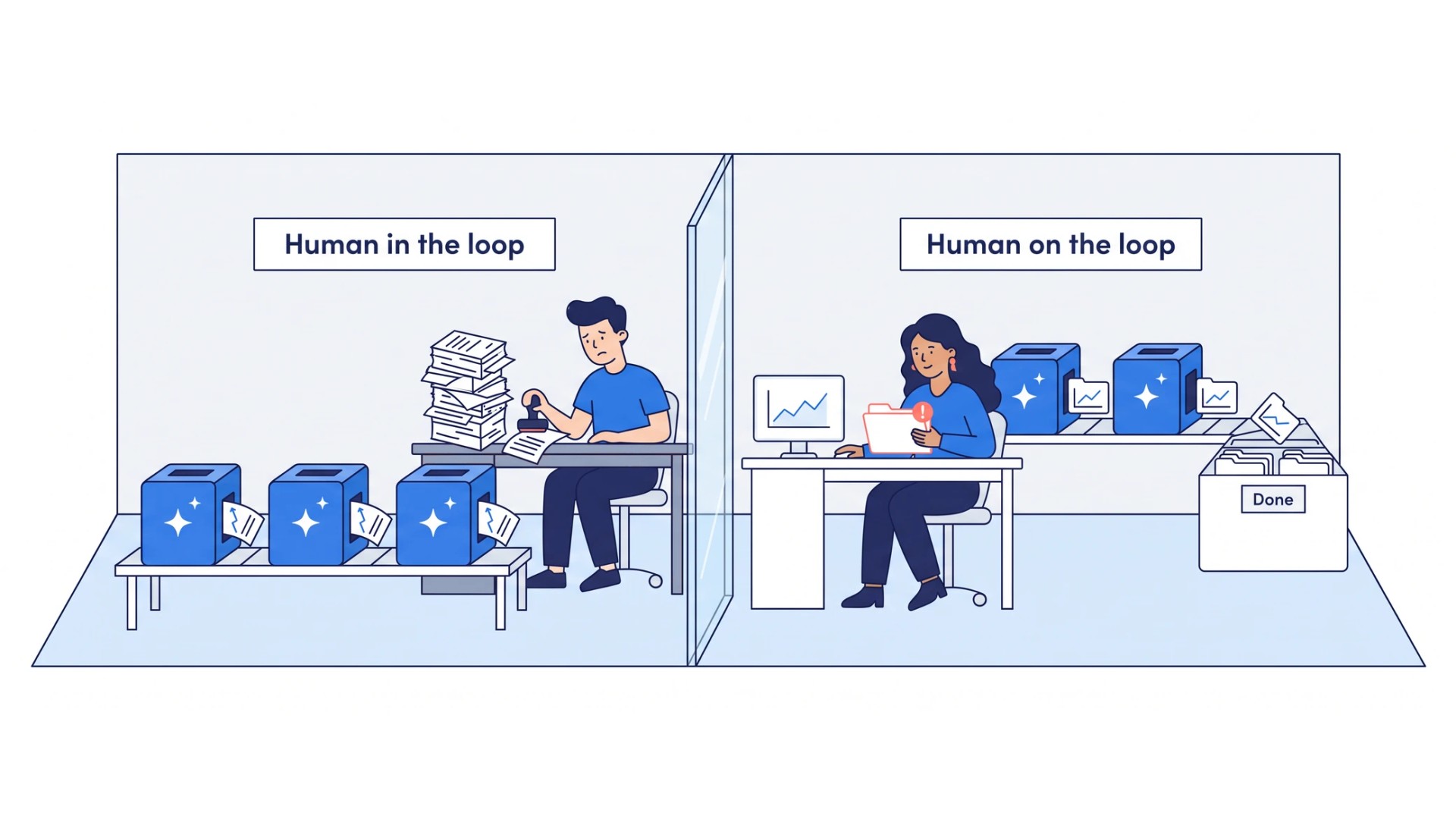
What is the difference between human in the loop and human on the loop?
In the loop, the person is a step in the process. The AI proposes a result or an action, and nothing moves until the person validates or approves it. In our five levels of AI automation this is approval, Level 2.
On the loop, the person stands over the process. The AI executes. The person monitors, intervenes and restarts when needed, and receives only what the controls flag. This is supervised execution, Level 3.
| Human in the loop | Human on the loop | |
|---|---|---|
| The person’s place | A step in the process | Above the process |
| What reaches the person | Each result or action | The exceptions the controls flag |
| When the person is absent | Work waits | Work continues |
| Review effort as volume grows | Grows with it | Stays tied to the exceptions |
| Our level | Approval, Level 2 | Supervised, Level 3 |
The two designs coexist. Different areas of one business sit at different levels at the same time. A routine step sits on the loop, and a consequential action, such as moving money, keeps a named approver in the loop by design.
We decide this step by step, before the agent is built: which steps need a person to decide, and which only need a person to be informed.
Why does human in the loop not scale?
Each approval the AI asks for consumes a person’s attention. A handful of approval requests a day is manageable. Hundreds a day are a new bottleneck. An agent’s throughput can grow quickly, and a reviewer’s attention stays fixed.
Output grows while review capacity and the definition of a correct result stay where they were. The economics shift too. When people still inspect routine outputs, approve routine actions and fix predictable failures, the advantage of AI shrinks as it does more of the work.
Slow drift is a further problem. An agent can pass its tests in staging and degrade quietly in production when input distributions shift, context quality changes or upstream data drifts. It still runs, and its outputs get less accurate. Nobody notices until a business process downstream is affected.
Our answer changes what reaches the person. Escalation has to be the exception, and the engineering work is to define precisely where the boundary sits.
Input points and control points: where does the human go?
A process needs two kinds of human presence.
An input point is a place where the process needs something only a person has: a fact, a piece of context, a decision. The AI cannot continue without it. A control point is a place where a person oversees what the AI produced and stops an error from cascading into the steps that follow.
The fixes differ. A missing input is solved by asking at the right moment with the question stated. A missing control is solved by an automated check, a reviewer or an approval, placed where an error would otherwise spread. We define both only after checking that each step has the information it needs.
In the process form we are building, a person appears in a process in one of nine roles:
- provides knowledge;
- takes part in discovery or interviews;
- validates the current state;
- validates that the target is feasible;
- resolves business ambiguity;
- confirms ownership or accountability;
- agrees metrics or targets;
- validates usability;
- approves an artifact or the final package.
The AI is the executor, and people are validators, decision-makers, approvers or authorities.
Generating, reviewing and approving are three separate jobs: one AI assistant produces, a second reviews against written standards, and a person approves. An AI review does not replace a required accountable approval, and an AI does not approve its own output.
How do you design control points in an AI workflow?
A control point answers three questions: what triggers it, who decides and what waits for the answer. The next section covers what the person sees. The rules below are the ones we apply when we design agents. Part of them sit in agent briefs that are still drafts.
What triggers it. An agent executes until one of three conditions applies. The action has consequences that are hard to undo: money, safety, legal exposure. The case is ambiguous in a way the AI cannot resolve reliably. Or the case is one the team wants to learn from, and a person should see it. A trigger can also be a pattern, such as one retailer’s alarm on a call that is slow several times within a short window.
Who decides. Actions fall into three tiers. Allowed: the agent analyzes, retrieves from authorized sources and uses approved low-risk tools on its own. Needs approval: consequential changes in business systems, expanded access or permissions, new authoritative sources, production deployment and changes to the agent itself. Blocked: destructive actions without authorization, changes to its own access, autonomous production deployment and unapproved self-modification. A named person or role owns each approval, and an approval applies to the exact plan shown. A click on “allow” for a tool does not count as business approval.
What waits. A gate stops only the dependent work. Finished work and the execution state are preserved. The request names the specific decision and carries the evidence and the consequences. The decision is recorded, and the dependent work resumes.
A good design avoids two faults. An agent that asks too much becomes the bottleneck. An agent that skips a gate becomes the risk.
What is escalation by exception?
Escalation by exception means the person sees only the cases that depart from what was declared acceptable. Three parts make it work.
A declared expected profile. Before the AI runs, someone writes down what normal looks like, and the system compares automatically. In an interview about a sensor-based data collection system, we raised the quiet failure: it can stop recording, or record nonsense, while everyone assumes it works. The answer was a simple check. The system knows in advance which sensors should report and how much data should arrive, compares what comes in and shows one signal, green or red. An operator who does not understand the details is told to report it when the signal turns red.
A reviewer that produces signals. A reviewer agent checks results against written standards and flags what departs from them. This works only when the standards exist first, because a reviewer with no documented criteria has nothing to enforce. Failures are classified: a transient one is retried, a predictable one goes back for correction with the review report attached, and a permanent one is escalated.
The reasoning attached. When the agent stops, it hands over the full context: the question and the reasoning trace that led it to stop.
A spot check differs from continuous control. A check an installer runs once shows that the system worked at that moment, and the operator cannot see it later. Continuous control needs a signal the operator can read at any time. Samples follow the same logic: a services company has a person review the first ten leads of a campaign and releases the batch to automation when they are right. Documented sampling suits routine batches, and high-stakes use gets full review.
How does an approval turn into background automation?
An approval is a phase in the life of a workflow. A finance head at a retailer described the path he wants for commercial credit.
- Today. Every commercial account application reaches him by email. He reads each one and approves it.
- A prepared task. The applications go through a workflow. The system works out a recommended credit limit and puts the information together. He logs in and takes the final decision on a task that is ready.
- Tuning. The approval task is monitored, the workflow is adjusted and steps are added.
- Background. When the outcome is known, the workflow may no longer need to go to anybody. It runs in the background.
The second step changes his job from reading email to deciding. The last step removes the approval task, and a named person stays accountable for the rule that now decides.
We apply the same path to any approval. We define the end state first and work backward: prepare the case so the person only decides, watch the decisions, and take the approval away for the range of cases where the outcome is known. Cases outside that range still reach a person. The arc is the one an AI agent follows as it earns its scope.
What evidence is needed before autonomy goes up?
Autonomy rises where evidence supports it. The rule we apply when we design AI-native systems is Evidence-Driven Autonomy: autonomy increases only where process clarity, knowledge quality, permissions, deterministic checks, independent validation, recovery and accountable approvals provide sufficient evidence. The rule applies per area. One company can run one process supervised and another still assisted. One engineering division we interviewed already releases this way, behind feature flags, widening the rollout as measurements come in.
More autonomy should come from stronger control. Removing reviewers without making execution more reliable only means the organization has accepted more uncertainty.
Two practices follow.
- Independent validation. Producing and checking are separate jobs, and a model’s statement that the work is done is not evidence that it is done. A software department we interviewed has a rule that testers do not report to the manager who pushes the software out. The same principle separates a production agent from a verification agent.
- No inferred levels. Where nobody has decided a target level for a system, we record that no level is set. Automating the preparation of evidence does not move consequential authority from a person to the AI.
What does human oversight look like at each stage of autonomy?
Oversight changes shape as autonomy grows. We use four stages, which match Levels 1 to 4 of our five levels of AI automation.
| Stage | The person’s part | Minimum quality bar |
|---|---|---|
| Assisted | Directs the work, reviews and integrates each output | From 50% |
| Collaborative | The AI proposes. The person approves, corrects or redirects | Above 70% |
| Supervised | The AI executes. The person monitors, stops, adjusts and restarts, and sees what the controls flag | 85-95% |
| Autonomous | No person reviews each result. People read the logs and are notified when the agent is stuck | Close to 100% |
The quality bar is the minimum chance that the AI gets an operation right. It rises with autonomy because the AI takes on more steps in a row, and evaluating and correcting its work costs more when it fails.
The stages coexist inside one system. A supervised agent that meets a case needing judgment drops to approval for that case, asks a person and then continues. Each stage widens only after the previous one gives a consistent result.
What stays with people even at full autonomy?
Full autonomy changes what people do. Execution is automated, and a named person stays where the cost of an error is the business.
People read the logs. They study performance afterwards, and they are notified when the agent cannot proceed. The notification mechanism matters because the person is not at the screen. At the top, the AI either calls a person when something goes wrong, and the response may take an hour, or runs without escalation and has to be nearly perfect.
Sensitive functions keep a named approver. Moving money, changing a customer’s terms and publishing to the outside world need a named person’s permission before they run. Sensitive results are reviewed by a defined person before they move on. We make that split between automated and human control a design decision before the agent is built.
Strategy is the clearest case. AI can do the work under the direction of the person who answers for the organization and can bear its financial and legal responsibility. Accountability moves only through an explicit operating-model decision, and automation alone does not move it.
The agent does not change itself. Under the rules we apply, its instructions, skills, tools, sources and governance change only through approved change control.
Does more control slow the process down?
Not when the control is automated. The slow version of control is a person inspecting routine results, approving routine actions and fixing predictable failures. That work grows with the volume of AI execution, and it becomes the new bottleneck.
Automated control runs inside execution, in the time the AI already takes. Validation gates check the result. Action controls enforce what the AI may do. Routine failures go through correction and retry loops. Only the exceptions reach a person. The result is more AI execution from the same review capacity.
An agent launched without control produces poor work faster, and the correction afterwards costs more than the check would have. We build the automated version in AI Validation & Control.
How EIC builds control into execution
AI Validation & Control builds quality checks, action controls, correction and escalation into execution. Routine work then proceeds with less manual supervision, and people keep the decisions that need judgment and authority.
We work in three steps:
- Set the business quality bar. Define what an acceptable result looks like, which actions need protection and where human authority must remain.
- Build and test the controls. Implement validation gates, action controls and execution checks, and test them against known correct, incorrect and edge cases.
- Automate correction and escalation. Routine problems are corrected or retried. Uncertain, sensitive or consequential cases go to the right person with the information needed to decide.
In AI Agentic Execution, the same design appears as the agent’s boundaries. The decisions and approvals that stay with people, the human checkpoints and the escalation points are defined before the agent is built, then tested under supervision on representative work, including the exceptions, the human checkpoints and the failures.
To start, show us where people still inspect AI outputs, approve routine actions or resolve repeatable failures. We identify which of those points can move into the system. Short answers to common buyer questions are in the FAQ on the AI Validation & Control page.