
What is business process mapping?
Process mapping records how a piece of work actually runs: the steps, who performs each one, the inputs and outputs, the decisions, the handoffs and the exceptions. Business process mapping applies that practice to a business process, such as handling a request or onboarding a customer. Business process modeling is the more formal version, built to agreed rules and precise enough that software can use the result.
Process documentation is the written side of the same record: the map, the procedures and the instructions that describe the process. A standard operating procedure (SOP) is one kind of document inside it. It covers one routine task, while the map shows the whole process. How SOPs change for AI is covered in our SOP guide.
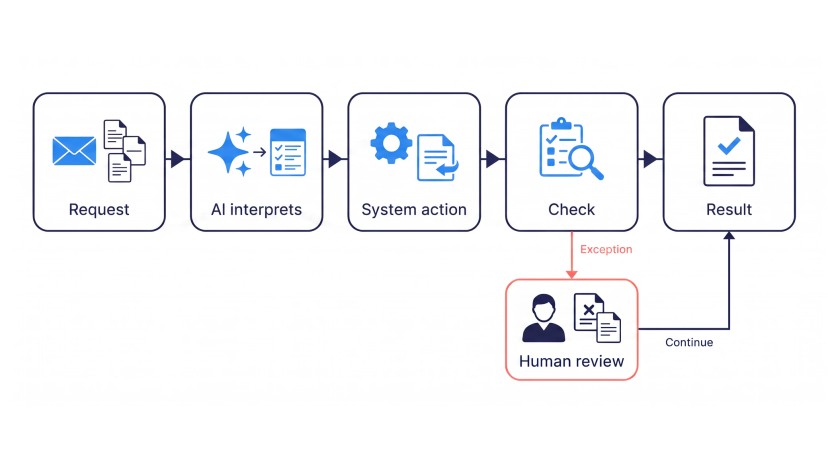
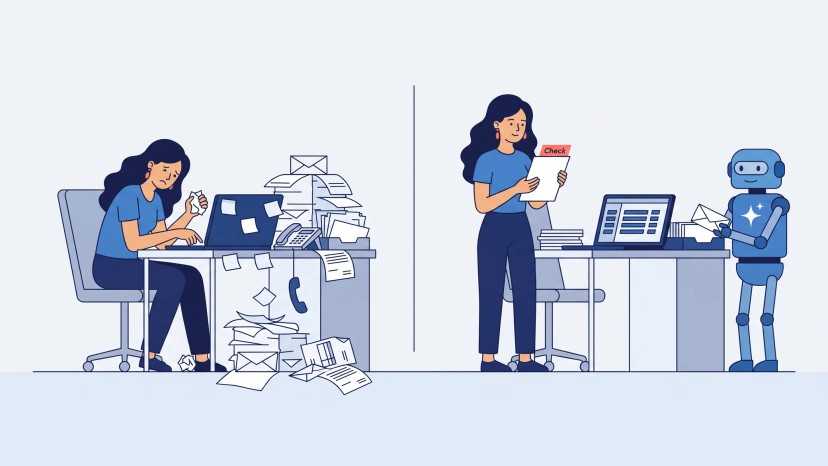
A conventional map stops at the arrows, and people carry the rest in their heads. When someone moves from one step to the next, most of the context travels with them and the documents carry only a piece of it. Nobody checks whether the next document can be produced from the previous one, and information is lost between steps. AI that repeats the process has no head to carry it. It invents the missing piece, and the result varies from day to day. AI Process Reengineering starts from this gap.
Which symbols and notations do process maps use?
Three notations cover most maps.
- Flowchart. Steps and decisions in order, joined by arrows. It is quick to draw and read, and it says nothing about who does each step.
- Swimlane diagram. A flowchart divided into lanes, one for each role or team. Every step sits in the lane of whoever performs it, and a handoff shows as an arrow that crosses a lane boundary.
- BPMN (Business Process Model and Notation). A formal notation from the Object Management Group (OMG). Version 2.0 was adopted in December 2010, and its revision 2.0.1 became the international standard ISO/IEC 19510 in 2013. The OMG describes it as flowchart-like, usable directly by business stakeholders and precise enough to turn into software process components.
The shapes most maps use come from BPMN:
| Shape | Meaning in BPMN | Use it for |
|---|---|---|
| Circle | Event | Where the process starts, ends or waits for something to happen |
| Rounded rectangle | Task | One unit of work |
| Diamond | Gateway | A decision: where paths split or join |
| Arrow | Sequence flow | The order of the steps |
| Lane | Sub-partition of a process | Who performs the steps inside it |
Whatever the notation, a diagram is not where we stop. We map the real process with the team that runs it. Pictures are good for people and weak for AI, and any information on a diagram should come with a detailed text description that AI can process. The result we are after is a written definition built around the goal of the process, the information each step needs and its quality gates.
What is the difference between an as-is and a to-be process map?
An as-is map shows how the work runs today. A to-be map shows how it should run. The difference between them is the redesign.
As-is. Draw it from how the process really runs, and not from an old document. The evidence comes from interviews with the process owner, the people who use the process and the domain specialists, and from the process’s own logs: metrics, errors and timing. Record what is done and by whom, and how the process performs: time taken, problems and errors, iterations. These baselines show later whether the redesign worked.
To-be. A fixed sequence of steps suits a person following a checklist. AI adapts to context and varies, and making it follow steps one, two and three exactly is close to impossible. For that reason we define the to-be as a goal-oriented reference process. It states the goal, the structure, the information flow, the decisions and the quality gates, and it allows explicit variations by outcome and by phase. A prototype, a release and a fix share one frame and legitimately skip or add steps.
Redesign keeps what already works. Process improvement optimizes inside the existing design. Reengineering changes the design: which work needs to happen, who or what performs it and where the information must be. We automate what works and keep the good parts.
How do you map a process step by step?
Seven steps take a process from a vague description to a map people can check.
- Name the process and its goal. Fix where it starts, where it ends, what is in and what is out, and what result it must produce. In our modeling work scope comes first, because AI drifts off topic until the boundaries are set.
- Gather evidence from people and records. Interview the process owner, the users and the domain specialists. Collect the logs, forms and documents the process leaves behind.
- List the steps by what happens and what each produces. Follow the work and not the org chart, which can be added afterwards as a label.
- Fill in each step. Who performs it, what it takes in, what it produces, which decision is made and what can go wrong. An input is information that enters from outside the process. What one task hands to the next is an output.
- Mark the handoffs and the decisions. Context moves between people at handoffs, and someone chooses at decisions.
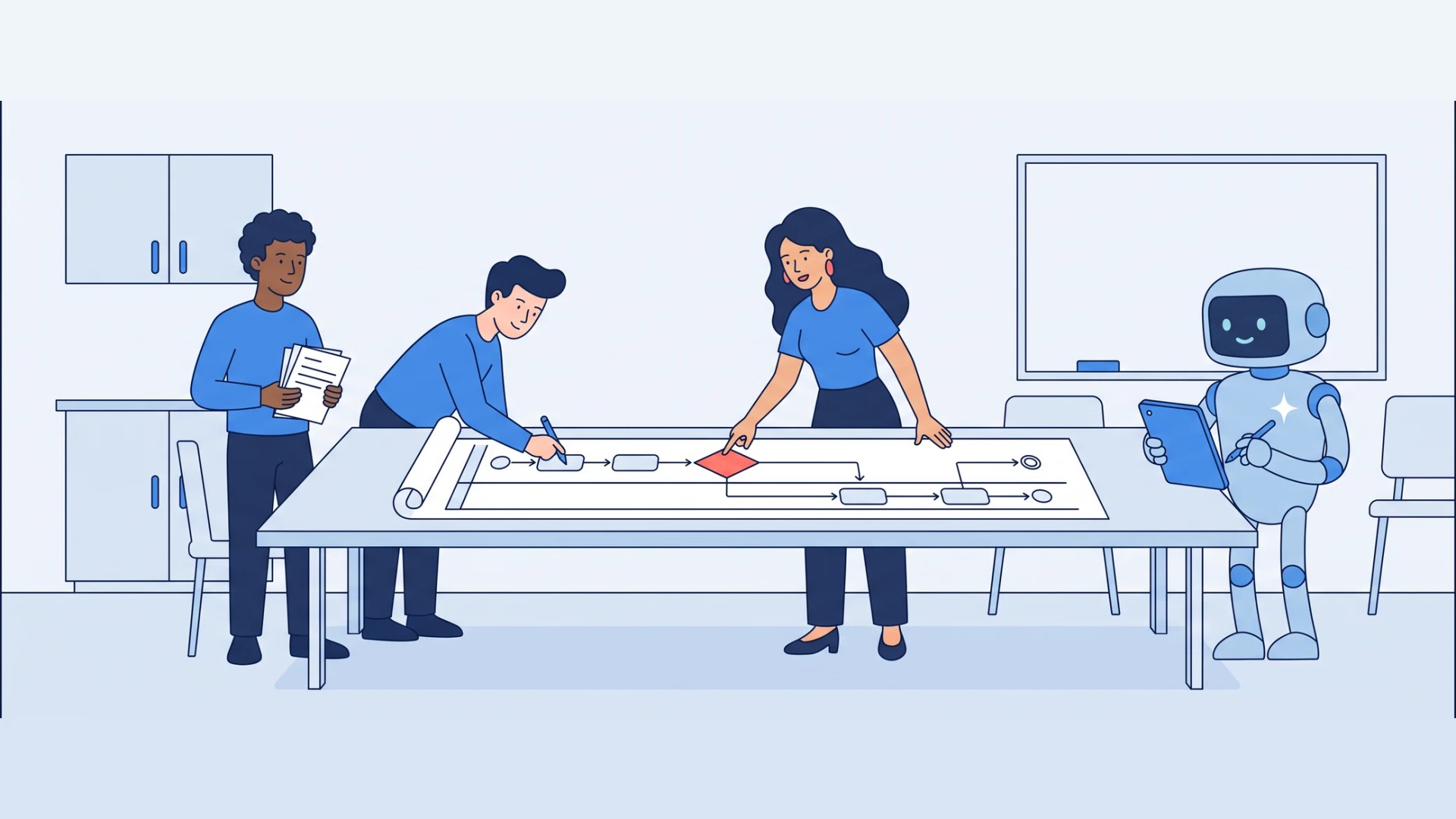
- Walk the map with the people who run the process. People adopt what they helped draw, and the walk brings contradictions in terminology and responsibility into the open.
- Take a baseline. Record time, errors and iterations before anything changes.
Sticky notes on a wall suit the first pass, because moving a step costs nothing. The finished map can live in a spreadsheet, a slide deck or diagramming software, provided every step carries the same fields.
What does a process map need so that AI can run the process?
A map for people shows order and roles. A map AI can run adds six things for every step.
- The information the step needs, and where it comes from. AI needs the right information, at the right time, in the right order. When a piece is missing or late, the model uses what it absorbed in training and guesses.
- What the step produces, what it takes from earlier steps and which source material it must consult. These are three different things, and mixing them hides the gaps.
- The decisions and the rule behind each, including the choices people used to make by feel.
- The exceptions and the legitimate variations. Which cases take another path, and why.
- The systems the step touches. What is read from which business system and when, and what is written back. We call this the interaction model, and it becomes the requirement for the connectors.
- Where a person takes part. An input point is a place where a person supplies information or a decision. A control point is a place where a person checks what AI produced, to stop errors cascading. We check first that each step has the information it needs, and only then define the human part.
In the step form we are building, each step also names its executor, skills, deliverables, evidence, review and the condition for escalation. An AI review in that form never stands in for an accountable human approval where one is required.
What does a process map example look like?
This generic illustration is written for this guide and is not a case: approving a purchase request. The first column is what a conventional map holds. The other three are what AI needs added.
| Step and who | Information it needs, and where from | Decision rule and exception | Person |
|---|---|---|---|
| 1. Request submitted (requester) | The request form, an external input | Missing field: return to the requester | Input point: the requester supplies the reason |
| 2. Budget check (finance system) | The budget record, read from the finance system | Over budget: route to the budget owner | None |
| 3. Supplier check (buyer) | The approved supplier list, consulted as source material | Unlisted supplier: escalate with the request attached | Control point: the buyer confirms the match |
| 4. Approval (budget owner) | The request and the results of steps 1 to 3, outputs of earlier steps | A person approves or rejects; a small request may skip step 3 | Named approver |
| 5. Order placed (buyer) | The approved request | Check that the order matches the approved request | Control point: mismatch stops the order |
Two cases that look alike can take different paths for a legitimate reason: a small request and a large one share a frame and skip or add steps. A goal-oriented reference process records that variation. A plain flowchart leaves it to whoever happens to know.
How does process mapping differ from process mining?
Process mining analyzes event logs, the records that information systems write as cases are handled. The IEEE Task Force on Process Mining set out the aim in its 2012 manifesto: to discover, monitor and improve real processes, and not assumed ones, by extracting knowledge from event logs. Mapping works from people and documents. Mining works from records.
Use mining where every step is recorded in a system. There, process mining and discovery tools help analyze the existing flow and point to automation opportunities.
Knowledge-intensive processes mostly run through email, documents, meetings and individual judgment, and their logs show only fragments. The usual situation is stale or missing documents next to working systems. We reconstruct such a process from the people and the systems. We run structured interviews, which an AI interviewer can hold by chat or voice and turn into documents, and we reverse engineer systems and code when that is where the knowledge lives.
Process mapping templates and tools: what kinds exist and how do you choose?
The first question is what the map is for. Five kinds of tool cover most needs.
| Kind of tool | Good for | Limit |
|---|---|---|
| Whiteboard or sticky notes | A first pass with the people who run the process | Not a record that can be maintained or checked |
| Diagramming software | Flowcharts, swimlanes and BPMN diagrams people can read and share | Shows order and roles. Rules, context and exceptions need written text |
| BPMN modeling suites | Formal models that software can use | Fit processes with defined rules. Knowledge-intensive work still needs interviews |
| Process mining | Processes recorded in systems | Logs show fragments of knowledge-intensive work |
| AI-assisted documentation | Turning interviews and transcripts into a first draft | The people who run the process correct the draft |
Choose by four questions. Who maintains the map after the workshop? Must the output be a picture people read or a record that software uses? Is the process recorded in systems or held by people? What follows: improvement, or automation with AI? We do not rank products. Any tool can hold a first draft, and its value depends on the fields the record carries.
A template for AI is a template of the step. An artifact template carries the steps, the prompts for the steps that use AI and the context parameters where a person enters input. In effect, the template is the instruction. At process level, a Process Definition Document holds the goal, scope, phases, roles, inputs, outputs, decisions, variants, exceptions and quality gates. A documentation template without those fields gives a tidy page and leaves the gaps where they were.
What are the most common process mapping mistakes?
- Mapping the old paperwork and not the work. People run the process one way, and the paperwork from years ago records another.
- Mapping alone. One person at a desk misses what the others do by habit.
- Stopping at the arrows. Without the information each step needs, AI has to invent it.
- Treating every manual step as a gap to automate. A gap needs evidence, and automation is one treatment among several.
- Drawing it too rigid or too loose. A map that breaks on the first exception fails, and so does one so informal that no two runs match. A reference frame with explicit variations avoids both.
- Forgetting how processes connect. The interfaces and data flows between processes are what people overlook, and a model of the whole has to cover them.
How EIC maps and redesigns processes for AI
AI Process Reengineering is where mapping happens. We work in three steps:
- Reconstruct the current process. We map the real work with the people who do it, and we cover handoffs, decisions, information, exceptions, hidden expertise and what counts as good quality.
- Design the goal-oriented reference process. We define the shared structure and the legitimate variants that different outcomes and phases of work need.
- Create and validate the execution assets. We write the SOPs, templates, embedded prompts, instructions and checks, and test them in real use.
The written result is a Process Definition Document that both people and AI can execute. The wider description of a business area around one process is a domain model.
Not every process needs this before automation starts. We go step by step and area by area, beginning with one priority workflow that deserves the effort and is not yet clear or consistent enough for reliable AI execution. The first workflow matters more than its size suggests, because the structure of its SOPs, templates and quality gates is reused. People then follow the redesigned process with AI support, which is the Assisted stage. The Collaborative stage follows when the instructions are wrapped into skills and assistants, and agents come last. The four autonomy stages describe how work moves up, and AI business process automation explains what that automation means.
To start, bring a workflow where context gets lost, quality varies or automation keeps breaking. We show what has to be made explicit before AI can run it. Short answers to common buyer questions are in the FAQ on the AI Process Reengineering page.